Car Alarm - 3g GEMEL made my car a very big paperweight...

sqler

Newbie
Joined
Jan 8, 2025
Points
3
Heya,
I am an owner of 1997 Z3 roadster 2.8. Everything about this car - i love.

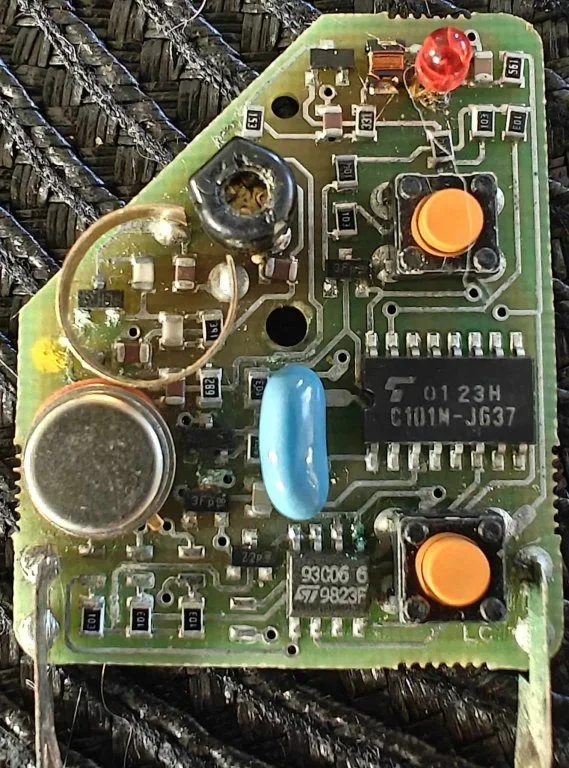
However, due to unfortunate incident (cat pee), my car alarm remote has stopped working (it's the housebrick fob with grey/red buttons and bmw logo). By stopped working i mean, it is constant light like the button is pressed. I have used flipper zero to check, and its constantly sending signal on 433.88MHz. Problem is, it happened when car was locked, so the alarm is armed.

I have disabled the horn alarm, but the car is still flashing hazards. Because of that car battery dies within a week.

I used this guide https://zroadster.org/articles/3g-ews-remote-fob-programming.24/ to access the module, because i thought if i put the alarm in learn position, the remote will disarm it as its sending signal constantly. That did not work. I assume that's because it says u first have to press arm and then disarm - in my case only disarm works sending constant signal.

So at the moment, i am looking for a solutions to disarm this alarm. I tried ordering new housebrick fob, but got information from sytner, that BMW no longer makes these despite the fact they have it available on their website (part no. 82 92 9 404 882).
Are there any aftermarket remotes that will work with this alarm to disarm it? Is there a quick and nice way to complete kill the alarm module?

What should I do? :(
 

Attachments

  • 467566834_571871292432914_8054432374776796757_n.webp
    467566834_571871292432914_8054432374776796757_n.webp
    80.5 KB · Views: 421
  • 472428563_1988233781688944_225680999952635851_n.webp
    472428563_1988233781688944_225680999952635851_n.webp
    119.2 KB · Views: 417
Taking the battery out of the key not help ?
 
Taking the battery out of the key not help ?
No, sadly not. I took the key apart, cleaned it with isopropyl alcohol, dried and put battery again. Since then, the diode is bright red and i can see signal being send constantly on 433.88 MHz.
 
I meant leave the battery out and just use the key in the lock ?
 
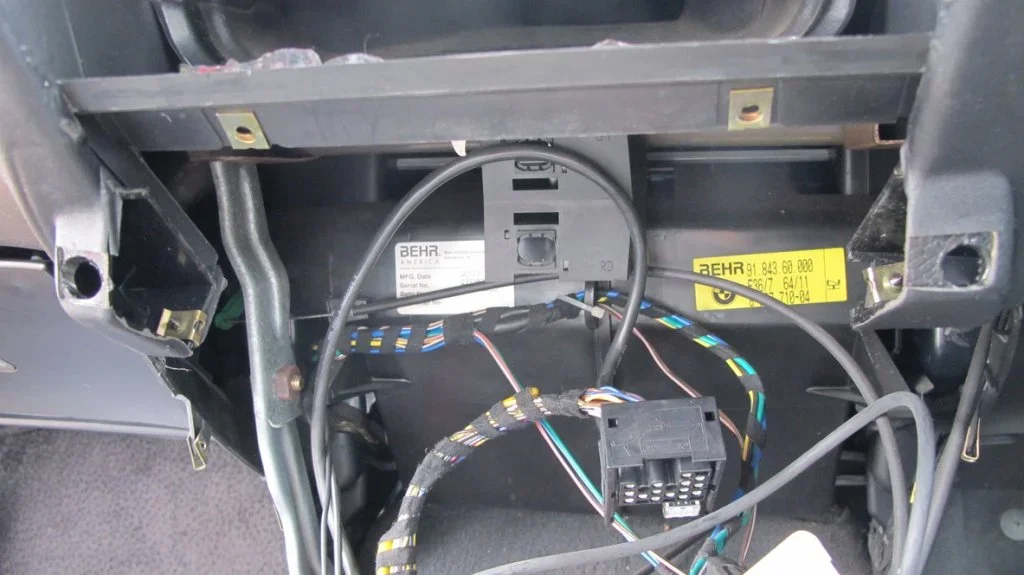
If you can't get the alarm to work because of the fob, replace the alarm system completely. The brain is located behind the glove box and is replaceable with an aftermarket system.
 
If you can't get the alarm to work because of the fob, replace the alarm system completely. The brain is located behind the glove box and is replaceable with an aftermarket system.
I assume it requires soldering skills? :D Thats one of the skills I have never learned. I can see there is A LOT of cables connected to the module behind the glovebox...
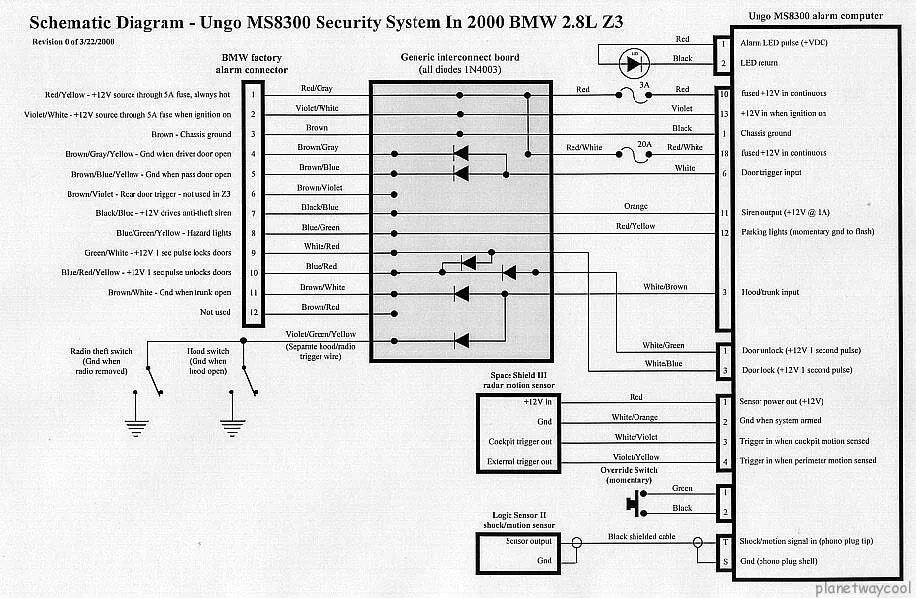
 
This is what I used for my 98 Z3 2.8, many people use good quality crimp connectors so soldering is not a must.
 

Attachments

  • schemati.webp
    schemati.webp
    106.7 KB · Views: 478
Recently have had similar problem but no cat pee involved.
I cleaned fob internals with battery removed and dried it out. Eventually the continual output stopped and it reverted to push button response only. Unfortunately by then the fob had lost its' memory and now needs re-programming.
Currently using manual key until weather improves and then I'll need to use the guide I wrote 12 years ago - time flies.;)
I think you can remove fuses 7& 43 (check first) to temporarily kill the box which should stop your hazards flashing.
Best route then appears to be, buy a spare fob from @spurs fan in a coupe and re-programme. I wouldn't risk eBay or similar spares unless desperate.
Good Luck
 
Last edited:
The OP has the guide but also @sqler do you have the alarm supplementary with the yellow envelope that has a card with a code?

Okay - i reached to spurs for a fob. A yellow envelope? I don't think I do. I thought you program it by switching to learn and pressing arm/disarm buttons?

Also second problem - in order to "learn" the alarm for new remote it has to be disarmed... Mine is armed - that's a problem. I found a post E36 Alarm Identification Guide - 3T, 2T, 3G EWS | BMW Forums : BimmerForums that mentions connection pins in the control unit together to reset/disarm it...

If there still seems to be a problem prise the remote receiver off the control unit to reset it. When you replace it (be careful you don’t bend the pins) the central locking should close & open. Re-code your fob as in steps 1 to 4.

If this doesn't work fully unplug the module, wait a minute, then reconnect it and Re-code your fob as in steps 1 to 4.

Still no joy? Prise the remote receiver off, short pins 1 & 6, then pins 1 & 8, reconnect the receiver, then Re-code your fob as in steps 1 to 4.

Finally, if all else fails prise the remote reciever off, short all the pins in the module, then Re-code your fob as in steps 1 to 4.
 
Recently have had similar problem but no cat pee involved.
I cleaned fob internals with battery removed and dried it out. Eventually the continual output stopped and it reverted to push button response only. Unfortunately by then the fob had lost its' memory and now needs re-programming.
Currently using manual key until weather improves and then I'll need to use the guide I wrote 12 years ago - time flies.;)
I think you can remove fuses 7& 43 (check first) to temporarily kill the box which should stop your hazards flashing.
Best route then appears to be, buy a spare fob from @spurs fan in a coupe and re-programme. I wouldn't risk eBay or similar spares unless desparate.
Good Luck

I honestly dont even want this alarm anymore. I am fine with just using the key. It's more problems with it than its worth. But to remove it, its even more difficult... I am starting to run out of ideas though - if this pin shorting wont help, then i am massively screwed
 
There's no such thing as a factory alarm - 2T, 3G etc. They were all dealer fitted and are simple to remove. Find the control unit and follow each wire IN TURN until you see where it was spliced into the car loom with neat plastic plug connectors. Unplug each one in turn and reconnect the car loom wires with said connectors. Usually fuel pump, hazards, light switch, ignition switch etc.

Once removed, put the old alarm into a bag or box and give it a distance test.

All Z3's have EWS so nobody is stealing it. Some cars have the big three button key for remote locking and others have the smaller key for manual unlocking.
 
There's no such thing as a factory alarm - 2T, 3G etc. They were all dealer fitted and are simple to remove. Find the control unit and follow each wire IN TURN until you see where it was spliced into the car loom with neat plastic plug connectors. Unplug each one in turn and reconnect the car loom wires with said connectors. Usually fuel pump, hazards, light switch, ignition switch etc.

Once removed, put the old alarm into a bag or box and give it a distance test.

All Z3's have EWS so nobody is stealing it. Some cars have the big three button key for remote locking and others have the smaller key for manual unlocking.
Thanks, this is good news. Really dumb alarm that cannot be disarmed with a physical key or something.

Question though, the loom that goes to the unit, looks like it goes somewhere behind center console. Does it mean ripping apart center console to find the connectors?
 
To an extent but with the gearlever and handbrake gaiters pulled up you should see where it goes.
 
To an extent but with the gearlever and handbrake gaiters pulled up you should see where it goes.
This may help 1998 M44 RHD with console removed
1736532025808.webp
1736532025808.webp
1736532025808.webp
 
I hope you don't mind me chipping in. Is the fob microswitch for locking stuck in the send position? Does it click when you press it? The microswitches are cheap and easily replaced.
If I am missing something here then please ignore.
 
As @Kenhayes247 said. Look at the buttons. Is one stuck down?

Do they actually move ie click up and down when you press them. Sounds like one of them is stuck down.

Clean the pcb again. Still sh*t laying over that one button. That strand of whatever it is shouldn't be the cause of the problem (unless it's wire) but not a good look.

Screenshot_20250111-095306_Chrome.webp
 
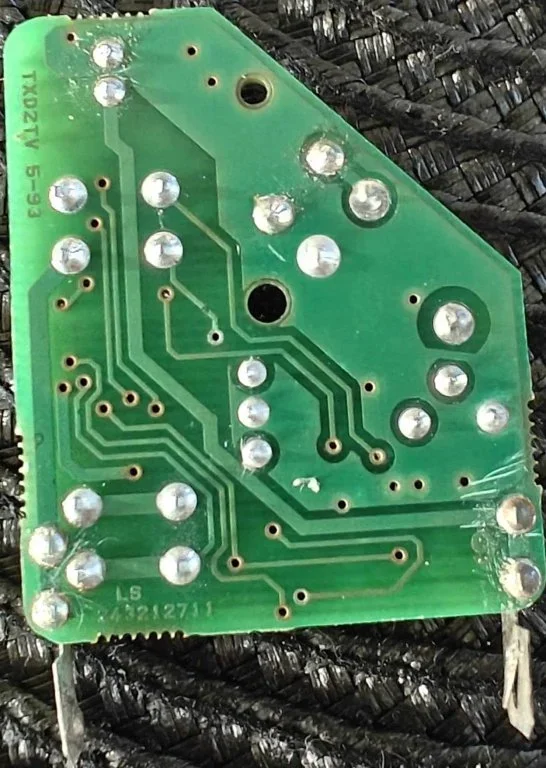
@Kenhayes247 @Duncodin The button seems to be fine - clicks normally and there are times it actually stops sending all the time and reacts to being pressed. I have cleaned it, the strain was just a hair - it is also on the "ARM" button, the remote sends "DISARM". When i touch one of the 4 soldered spots from the "DISARM" button with a wire or anything metal, it stops sending signal. That makes me think it's shorting somewhere... but no idea where...

The problem is, even if i revive the remote or get a new one, I still need alarm to be disarmed before I can learn it. Right now it's armed so even if i move the switch in unit from "Hidden" to "Learn" it doesnt react to the remote, doesn't close it or doesnt open it.
 
Back
Top